
Workforce Wave Chatbot
One tap.
You are on the phone
with your AI.
The same AI agent that answers your phone now lives on your website. Visitors chat, ask questions, and tap one button to be in a live voice conversation a second later - same agent, same memory, no hold music, no dial.
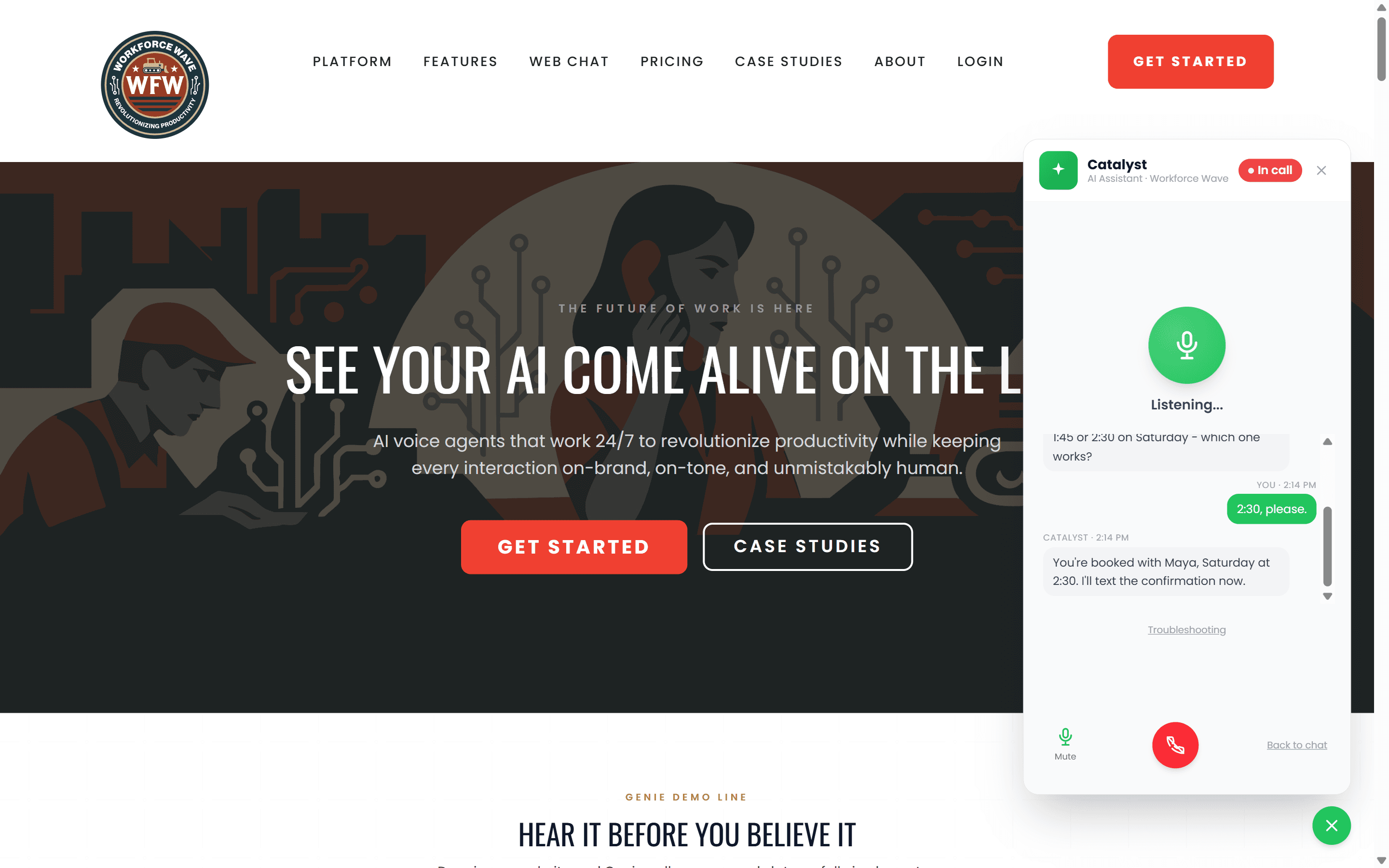
Live demo
Talk to Catalyst right now
The widget in the bottom-right corner of this page is the exact same technology you embed on your site. Start a chat with a question, then tap the green Call button in the header to switch to voice mid-conversation.
Instant phone capability
Chat starts it.
One tap finishes it on the phone.
Most chatbots hand off to a form or a callback request. Yours hands off to an actual phone call, instantly, with the same agent carrying the entire conversation forward. No app install, no hold music, no lost thread.
One tap to talk
The green Call button sits in the chat header. Visitors tap it and they are talking to Catalyst within seconds.
Same agent, same memory
Catalyst does not start over. It picks up exactly where the chat left off, including the visitor's name, what they asked, and any context already shared.
No app install required
WebRTC voice runs entirely in the browser. Visitors need nothing beyond the page they are already on.
Switch mid-conversation
Talk how you want.
Switch when you want.
Some visitors type. Some talk. Plenty do both in the same conversation - typing the question, then asking the agent to "just tell me" the answer. Catalyst keeps every word in one shared memory and flips between modes without a reset.
Chat mode
Type your question
Voice mode
Tap Call, just talk
The shared memory means the agent answers the visitor in voice with the same context it had in chat, and vice-versa. Saves real time when visitors need a quick clarification or want to escalate without re-explaining their question.
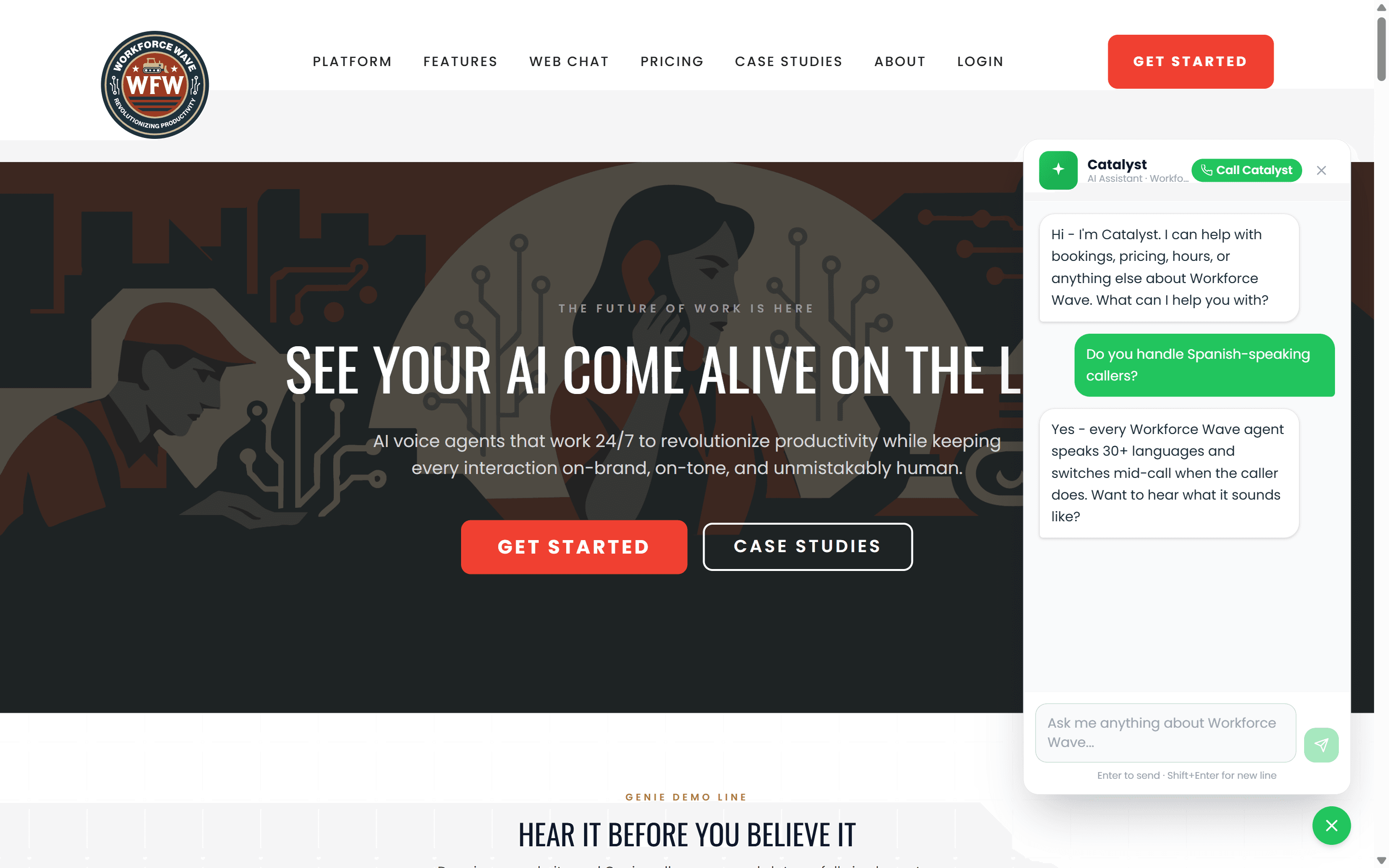
Real things visitors do
Not a chatbot. A working agent.
Every conversation ends in an outcome the visitor came for. The widget books the appointment, answers the question, drops the right link, or finishes the job on a live call.
Books appointments
"Book me with Maya, Saturday at 2:30." Confirmed in chat. Text receipt seconds later.
Answers questions
"What are your hours on Sunday?" Pulled from your knowledge base, in voice or chat, every time.
Helps visitors navigate
"Where is your pricing page?" The agent says the answer and drops a link in the chat.
Becomes a live call
"Can you just tell me?" Tap the Call button. Same agent, same context, on the phone in a second.
Built for everyone
An AI agent on every page is an accessibility upgrade for every page.
Visitors who cannot read your text, type on a small phone, hear your videos, or use a mouse, all get the same answer in the form that works for them - by talking, by typing, by listening, or by tabbing through the page with a keyboard. The widget becomes the universal access point for everything on your site.
Pairs with - it does not replace - your existing semantic HTML, alt text, contrast, and focus work. WCAG 2.1 AA is a baseline; this widget is a force multiplier on top of it.
Voice for visitors who cannot read
Low vision, dyslexia, English-as-second-language - any visitor can talk to the agent and hear the answer back. No reading required, ever.
Chat for visitors who cannot hear
Deaf and hard-of-hearing visitors get the same agent in fully written form. No audio dependency. No captions to chase.
Keyboard-first throughout
Tab to open, type to ask, Enter to send, Esc to close. Every action in the widget is reachable without a pointer device.
29 languages in voice and chat
The agent detects the visitor language and responds in it — including mid-conversation switches. Accessibility extends to people whose first language is not yours, across 29 languages.
Easy install
Live in 60 seconds.
No developer needed. No build step. No webhook to configure. Copy one script tag, paste it into your site head, reload.
- 1
Pick your agent
Dashboard > Agents > Web Widget. The agent that answers your phone is already configured.
- 2
Copy one script tag
Click Copy embed code. The one-liner lands on your clipboard.
- 3
Paste and reload
Anywhere in your site head - WordPress, Squarespace, Webflow, plain HTML. Reload and you are live.
<script async src="https://workforcewave.com/embed/loader.js" data-agent-id="YOUR_AGENT_ID"></script>Swap YOUR_AGENT_ID for your agent ID from the dashboard. Loads async, zero impact on page speed.
Everything included
Built for real businesses.
One-tap phone call from chat
The green Call button sits in the chat header. A visitor taps once and they are on a live voice call with the same agent, mid-thought, no app or dial.
Voice and chat in one widget
Same panel, same context. Type a question, get an answer, then say "actually, can you just tell me?" and switch to voice without losing your place.
Books appointments live
Connects to your calendar and confirms the slot inside the conversation. The visitor never opens a separate booking tool.
Navigates the site for visitors
Visitors ask "where do I find pricing?" and the agent answers in plain language, with a link, in voice or chat - whichever they prefer.
Accessible by default
Voice for visitors who can't read, chat for those who can't hear, keyboard-first navigation, screen-reader-friendly streaming text. Your site becomes usable for everyone.
29 languages live
The agent detects the visitor language and answers in it — including mid-conversation switches. 29 languages, no separate translation step.
See every supported language →HIPAA-ready
Audio stored with AES-256. PHI redacted before extraction. BAA available on request. Same posture as the phone agent.
Analytics alongside calls
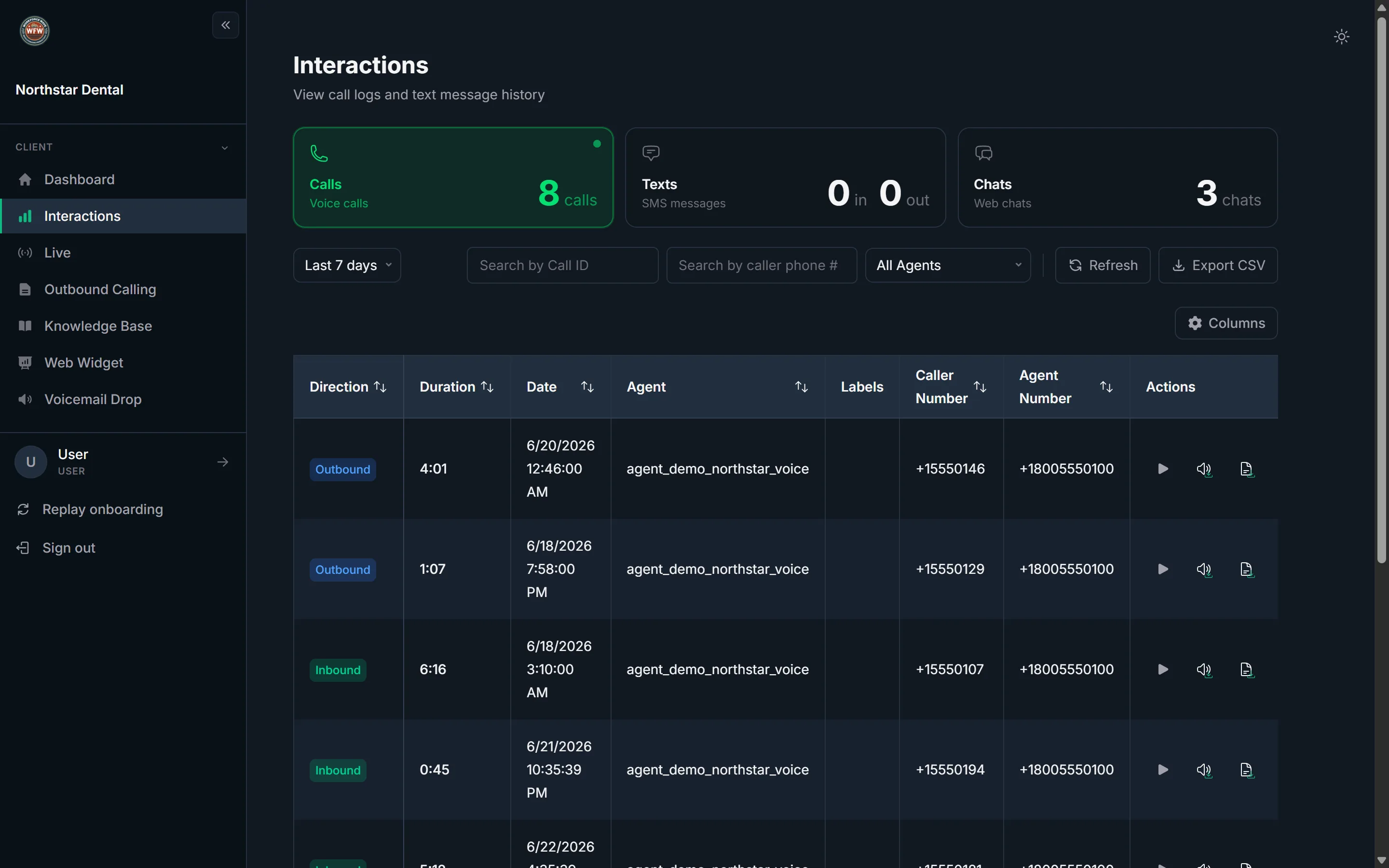
Chat sessions, voice escalations, bookings, and questions all land in the same dashboard as your phone call logs.
Self-Service at Scale
Handle inbound calls, SMS, WhatsApp, and email 24/7 without human help.
How we compare
Why not just use a regular chatbot?
Workforce Wave web widget minutes are billed at the same rate as phone minutes. No extra subscription. No setup fee.
FAQ
Common questions
Do visitors need an app to make the phone call?
No app, no account, no download. When a visitor taps the green Call button in the chat header, the browser opens a live WebRTC voice call directly to your agent. It works on any modern phone or desktop browser.
Can the agent really switch from chat to voice without losing context?
Yes. The chat thread and the voice call are the same session. The agent already knows what the visitor asked in chat - it does not start over. After the call ends, the chat stays open with everything the agent said now in the transcript.
Does it actually book appointments, or just collect requests?
It books them. The agent connects to your calendar (Google, Cal.com, Calendly, or any system you point it at), holds the slot, confirms it inside the conversation, and sends a text or email confirmation. The visitor never opens a separate booking tool.
How does this help with accessibility?
A visitor who cannot read still gets voice. A visitor who cannot hear still gets chat. A visitor who cannot use a mouse can drive the whole conversation with the keyboard. A visitor using a screen reader gets streaming text in an ARIA live region. The widget itself is one of the strongest accessibility features you can add to a site.
How do I block other domains from loading my widget?
Open your dashboard, find your agent, and click Web Widget. Add each domain you want to allow in the allowlist field. Domains not on that list are silently blocked - no error, no widget, nothing.
What does it cost?
Web widget minutes are billed at the same per-minute rate as your phone agent - no extra subscription, no setup fee. See the pricing page for full tier details.
Get started
One script tag.
One agent. One tap to call.
The same agent that answers your phone, now on every page of your site, in chat and voice, ready to book, answer, and help every visitor get what they came for.
Already a customer? Enable your web widget in Dashboard > Agents > Web Widget.