
Workforce Wave Voice Agents
Voice agents that sound
like the best person
on your team.
24/7 inbound and outbound coverage. 29 languages. HIPAA-compliant. Books appointments, updates your CRM, and transfers to humans when it matters - all without a phone tree.
Hear them in action
Real agents. Real conversations.
These are actual recordings from live deployments - not demos recorded in a studio. Press play on any agent to hear what your callers experience.
Flora
Home Services
Warm and organized. Books painting estimates, answers service questions, and never misses a follow-up.
Yumi
Restaurant Hostess
Friendly and fast. Takes reservations, answers menu questions, and handles waitlist updates with a smile in her voice.
Zoe
Real Estate
Confident and knowledgeable. Qualifies buyers, schedules showings, and keeps leads warm between agent touchpoints.
Viva
Auto Dealer
Smooth and consultative. Handles inventory questions, service bookings, and test-drive scheduling without pressure.
Dwight
B2B Sales
No-nonsense and direct. Qualifies inbound leads, books demos, and routes hot prospects to the right account exec.
Llama
Inbound Receptionist
Patient and thorough. Routes calls, takes messages, handles FAQs, and escalates urgent items to the right person.
Personas
Pick the voice that fits your brand.
Every agent has a distinct personality - tuned for specific industries and caller types. Start with one of these archetypes and customize it to match your exact brand voice. Tap a card to learn more.
In Action
Watch your agents handle real calls.
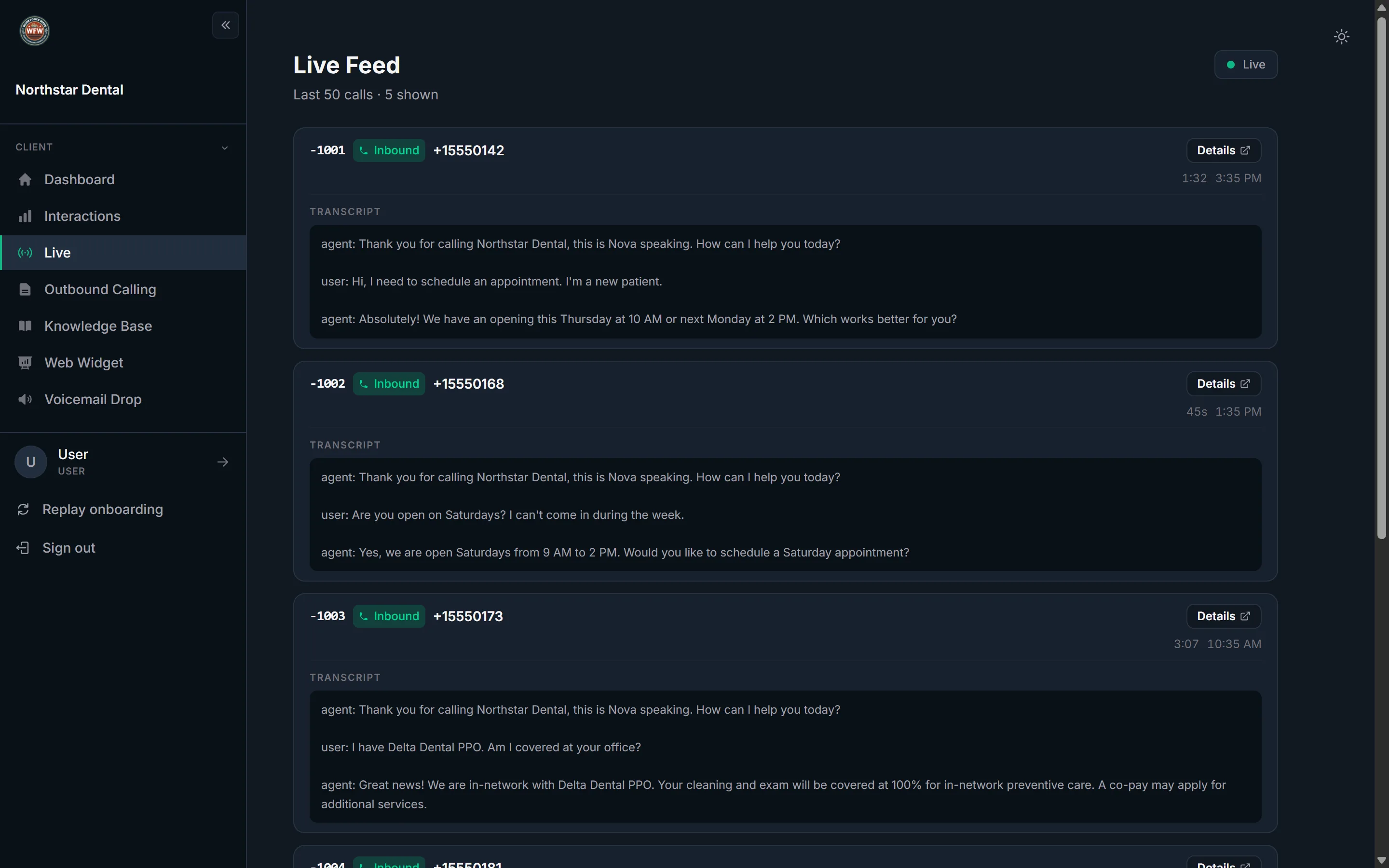
Inbound and outbound
One agent. Both directions.
Caller dials in. Agent picks up in one ring.
- 1
Instant answer
Every call answered in under one ring, 24/7. No voicemail, no hold queue.
- 2
Intent detection
The agent identifies why the caller is calling in the first 10 seconds and routes accordingly.
- 3
Handle, book, or escalate
Most calls are handled fully - FAQs answered, appointments booked. Complex ones warm-transferred to a human.
- 4
Outcome logged
Call summary, transcript, and outcome written to your dashboard and CRM automatically.
Upload a list. Agent dials automatically.
- 1
Campaign upload
Drop a CSV with contacts and any merge fields (name, offer, last purchase). The agent personalizes each call.
- 2
Auto-dial with compliance
The system dials at a compliant rate, respects do-not-call flags, and retries non-answers intelligently.
- 3
Live conversation
When someone answers, a real-time conversation begins - not a recording. The agent adapts to what they say.
- 4
Outcomes recorded
Every call result - booked, not interested, callback requested, no answer - logged and exportable.
Under the hood
Knowledge. Tools. Memory.
Every agent is built on three layers. Together they make it possible for the same agent to handle simple FAQs and complex multi-step workflows without missing a beat.
Layer 1
Knowledge Base
The foundation of every answer. The agent retrieves from your KB using RAG (retrieval-augmented generation) - so it never guesses at your pricing, hours, or policies.
- Upload PDFs, docs, and URLs
- Auto-syncs when source changes
- Citation-backed responses
- No hallucinations on your data
Layer 2
Tools
Tools let the agent take actions during a call - not just answer questions. It can book, look up, send, and transfer without putting the caller on hold.
- Book appointment
- Look up account or record
- Send confirmation text
- Transfer to human with context
Layer 3
Memory
The agent remembers every interaction with a caller. Whether they called last month or last year, it picks up where things left off without asking the same questions twice.
- Full caller history per contact
- Cross-channel (phone + web)
- Surfaced automatically on call
- Private and HIPAA-compliant
Web Widget
Same agent.
On your website too.
The same agent that answers your phone can also talk to every visitor on your website. Voice and chat in one floating widget, installed with one script tag, ready in under a minute.
60s
Install time
Voice + Chat
In one widget
Same KB
As phone agent
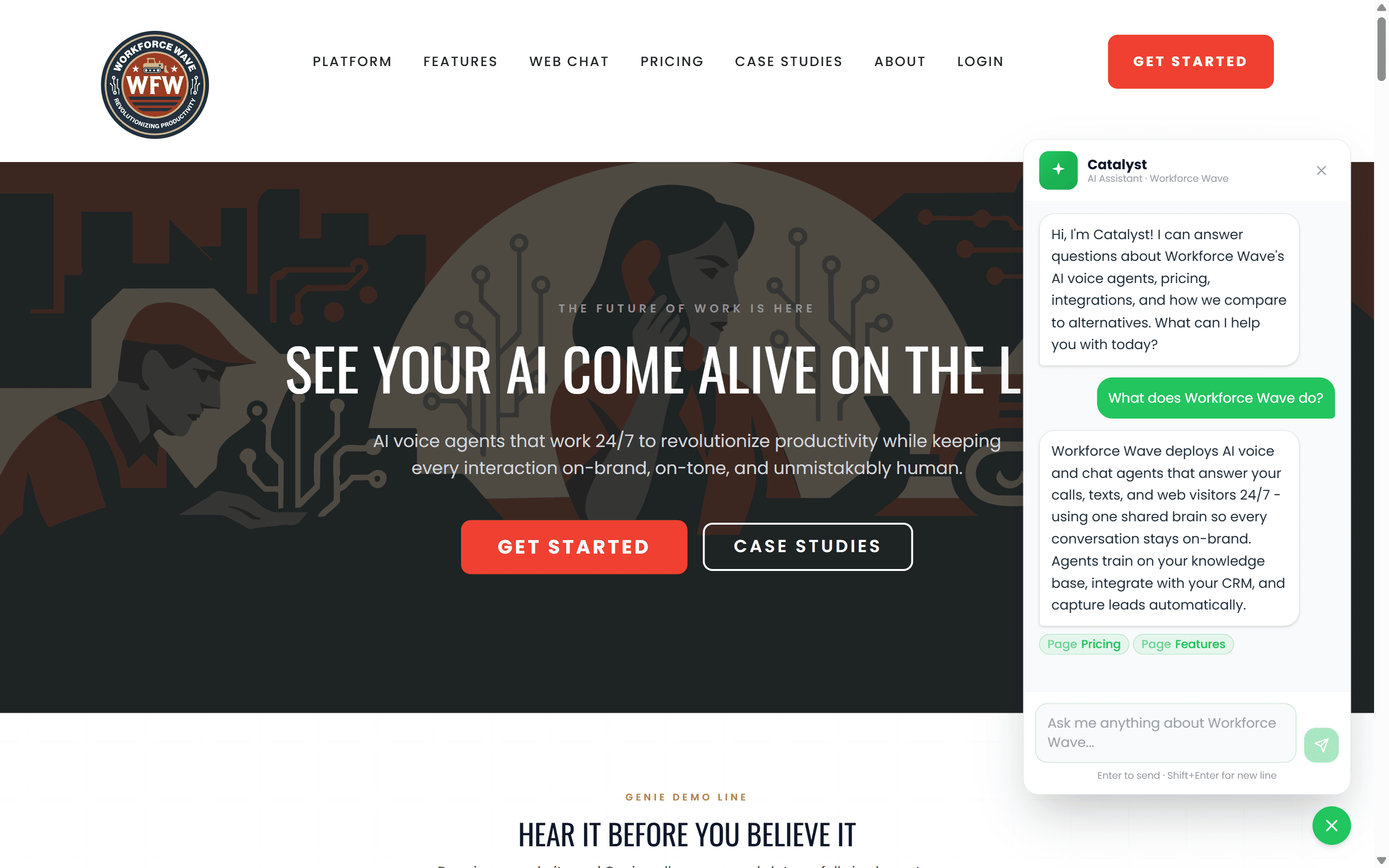
The green "Call Catalyst" button in the widget header is the voice-agent CTA. One tap drops the visitor into a live call.
In your dashboard
Configure once. Deploy everywhere.
Every setting lives in your dashboard. Change your agent, your knowledge base, your default channel, or your branding without touching code. Saved settings push to every domain on your allowlist instantly.
Dashboard - Web Widget
Catalyst Agent Settings
Catalyst Widget
On - the floating widget is showing on your marketing site.
Pick what the widget opens to. Visitors can switch at any time.
Pick which agent powers the widget. The same agent that answers your phone.
Where the agent gets answers. Upload docs once, use anywhere.
Only these origins can load your widget. Any other site is silently blocked.
All changes save in real time.
SavedMaster kill switch
Disable the widget across every domain instantly. No code change, no redeploy.
Voice, chat, or both
Choose the default mode visitors land on. Voice for service businesses, chat for SaaS, hybrid for everyone.
One agent, many sites
Pick from any chat agent in your account, including child clients in your white label hierarchy.
KB stays in sync
Update your knowledge base once. The phone agent and web widget pick up the change immediately.
Domain allowlist
Only sites you approve can load your widget. Anyone else trying to embed it silently fails.
Brand match
Logo, accent color, display name, and first message - all match your brand without CSS overrides.
Everything included
Production-grade from day one.
HIPAA-compliant
Audio stored with AES-256 encryption. PHI redacted before extraction. BAA available on request.
Real-time transcription
Every call is transcribed live and logged in your dashboard alongside recordings and outcomes.
Custom voice cloning
Upload a voice sample and the agent speaks in a voice that sounds like your brand - not generic text-to-speech.
Smart routing
Detects intent and routes callers to the right person, queue, or action - no IVR menu required.
Calendar integration
Books appointments directly into your calendar during the call. No follow-up email, no manual entry.
CRM updates
Writes call outcomes, contact notes, and next steps directly to your CRM after every conversation.
Spam filter
Detects and drops robocalls, spam, and silence before they reach your agent or your analytics.
24/7, no PTO
Handles every inbound call at 3am on a holiday weekend the same way it handles a Monday morning rush.
Pricing
Pay per minute, not per seat.
No monthly per-user fees. No minimum seat count. You pay only for the minutes your agent actually spends on calls.
$0.08 - $0.12
per minute, depending on volume
- Inbound and outbound minutes priced the same
- Volume discounts start at 1,000 min/month
- No setup fee, no platform fee
FAQ
Common questions
Can callers tell they are talking to an AI?
Most cannot. The voice agents are trained to sound natural, handle pauses, and respond to interruptions. That said, the agents are always compliant - they never claim to be human if sincerely asked.
How does the agent handle questions it does not know the answer to?
The agent draws answers from your knowledge base first. If a question falls outside that scope, it acknowledges the gap honestly and offers to connect the caller with a human or take a message - it never makes things up.
Can I have both inbound and outbound campaigns on the same agent?
Yes. The same agent configuration handles inbound calls and outbound campaigns. Outbound campaigns use a separate dialer queue, but the voice, personality, and KB are shared.
What integrations are supported for CRM updates?
The platform has native integrations for HubSpot, Salesforce, GoHighLevel, and a webhook endpoint for any other CRM. Setup is handled through your dashboard - no code required.
What happens if the agent cannot handle a call and needs to transfer?
The agent transfers the call to a human using a warm transfer - it announces the caller's name, issue, and relevant context to the receiving agent before dropping off the line.
Get started
Build your voice agent
in minutes.
Pick a persona, upload your knowledge base, connect your calendar, and give your agent a phone number. Your callers will not believe it is AI.
Already a customer? Add a new agent from Dashboard - Agents - New Agent.